
Aviassembly Guide: From First Flight to 100%
A complete Aviassembly guide: how the parts, cargo, research and island systems fit together, plus the order that gets you to 100% without grinding.
Aviassembly looks like a toy at first: a hangar, a stack of fuselage parts, a map of small islands and a mission board that pays in coins. Two hours later you are computing wing area against a 600 litre cargo hold, deciding whether a ramjet is worth the fuel burn, and wondering why the desert airport keeps asking for loads your plane physically cannot lift.
This guide is the map of that whole curve. It explains what the game is actually asking you to optimise, which of its numbers are hidden, and the order in which the systems open up. Every other page on this site goes deeper on one of these systems; this one keeps them in one place.
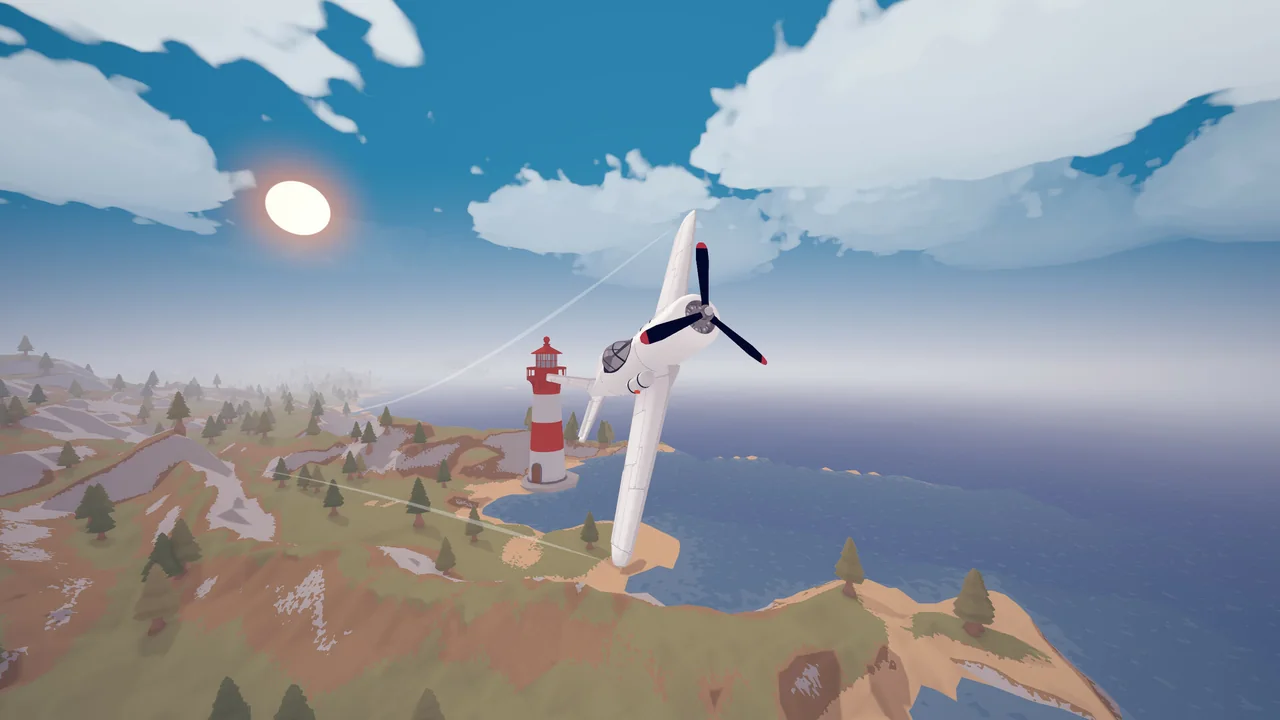
The three currencies, and what each one buys
Aviassembly separates money from progress, and confusing the two is the reason new players stall.
- Coins buy nothing permanent. They are a budget for aircraft size and complexity: every part you place costs coins, and every part refunds in full when you remove it. A bigger hangar balance simply means you are allowed to build a bigger plane.
- Scrap is the real progression currency. You collect it by flying through scrap in the world or by completing missions, and you spend it to unlock new parts in the build menu.
- Research turns scrap and mission access into new technology: better engines, larger cockpits, stronger wings, and the parts that make long ocean crossings survivable.
Because parts refund 100% of their coin cost, the only thing you waste by trying a wild design is time. Build the stupid plane. Delete it. Nothing is lost except the ten minutes you spent learning why the tail was too small.
The first hour, in the right order
Start with the default aircraft and fly the two or three missions available on the starting island before you touch the editor. Those first hops teach the three things the tutorial text does not: how much runway the default plane needs, how quickly fuel disappears when you hold full throttle, and how forgiving a landing can be.
Then go back to the hangar and make one change at a time. Add cargo space, fly a short delivery, and watch what the extra weight does to your takeoff run. Add a second engine, fly the same route, and watch the fuel gauge instead. The game gives you a clean baseline on purpose.
When the mission board runs dry, you are supposed to leave. Land at an airport that has not shown a mission yet and its board fills in; some airports exist only to hand out work and never sell cargo at all.
The step-by-step version of this opening is in the beginner guide→, including a first plane that can carry a real load without falling out of the sky.
The numbers the game does not print
Three formulas explain most of the strange behaviour you will see in the air.
Fuel is multiplied by 100. A tank listed with a fuel figure of 3 holds 300 units of fuel in flight. That is why a single small tank lasts longer than the number suggests, and why swapping one tank for another changes your range by more than you expect.
Wing strength is multiplied by 100 as well. The wooden wing lists 2.25, which means it fails at 225 m/s. You get a warning from around 80% of that limit, so a wing that complains at 180 m/s is telling you exactly how much speed you have left. This is the single most common cause of a plane that shreds itself in a dive.
Engine fuel usage is per second at full thrust. A thirsty engine does not care how far you are going, only how long you hold the throttle open. Right-clicking an engine and limiting its maximum thrust is the cheapest range upgrade in the game.
The full part-by-part breakdown, including which cockpits are worth their weight, lives in the parts list→.
Cargo is a volume problem wearing a weight costume
Every cargo type has two independent numbers: weight in kilograms and load room in litres. A load can be light and bulky (wood logs) or heavy and compact (titanium, radioactive waste). Your aircraft cares about both, and the mission board only tells you the total.
This is why a plane that hauls stone out of the snow biome perfectly can fail the moment you ask it to carry wood. The cargo types page→ lists every commodity, where it is produced and which biome sells it; the weights guide→ turns those numbers into build targets.
Fragile cargo adds a third dimension. Glass, chips, syringes and ice break on hard landings, so the answer is not a stronger plane but a gentler one: more wing, lower approach speed, and a little spare capacity so you are not flying at the absolute limit.
How the world opens
The map is a set of biomes rather than a single continent. Grasslands teach the basics and pay badly. Snow pays better per delivery and hands out scrap with every completed mission. Desert pays the most and is the only place to find titanium and lead, but the distances and the payloads demand a serious aircraft.
Islands sit off the main routes and are easy to miss. Community maps place the first two hidden airports on the starting island itself, a pair of shipwreck strips to the south, an SOS camp in the snowy north-west, a hermit island between snow and desert, and a prison island north-east of the start. Landing is what reveals a place; flying over it does nothing.
The full map guide→ collects these locations, and the airports page→ lists what each strip sells, pays and demands.
What 1.0 added
The 1.0 release in November 2026 was not just a version number. It added three systems that change how you plan a career:
- Firefighting. Hover low over the sea to fill your tanks, then drop the water on burning buildings for coins. It is the only repeatable activity that does not depend on the cargo market.
- Seaplanes. Two pontoon parts let you take off and land on water, which makes filling up for firefighting much faster. Pontoons are heavy, and a bad landing will sink you.
- Hard mode. A post-completion difficulty for players who have already finished the campaign.
Each has its own page: firefighting→, seaplanes→ and hard mode→.
Aviassembly is single-player. There is no co-op, no lobby and no official multiplayer mode, and searching for one tends to surface mod launchers rather than a real feature. The only shared space is the Steam Workshop, where players upload their aircraft designs.
The completion checklist
There are eleven Steam achievements, and four of them are missable because they constrain an entire playthrough: finishing the campaign with only the wooden engine, never leaving the ground on a delivery, completing two missions in a single flight, and finishing a mission with no wings or tail at all.
That last one is less insane than it sounds once you understand that lift can come from fuselage surfaces and engines alone. The achievements guide→ has the exact conditions and the order that keeps every missable achievement alive in one save.
Mistakes that cost the most time
- Building big before building efficient. A huge plane with a small engine flies worse than a small plane with the right engine, and it costs more coins to iterate.
- Ignoring the cargo market's reward column. Two missions with the same distance can pay very differently depending on the biome and the commodity.
- Flying at full throttle everywhere. Range is a function of time, not distance; throttling back is free fuel.
- Skipping the hidden airports. They are where the good late-game missions live, including the ones that gate the campaign chain.
- Spending scrap on cosmetic unlocks first. Engines and cockpits change what missions you can accept; paint does not.
Where to go next
FAQ
Is Aviassembly a flight simulator? It is a casual simulation. The flight model is simplified: stability, weight and wing strength matter, but you are not managing mixture or trim. Think building game with a flight model rather than study-level sim.
How long is the campaign? The main mission chain runs through the weather station, the research facility and the explosion site, with a waste storage finale. Most players reach the end in a dozen hours, and the 1.0 update added endless quests for the airports that previously went quiet after completion.
Can I play with a controller? Yes. The game has partial controller support, and Update 11 added HOTAS support with per-part rebinding. The controls page→ explains the default layout and the settings worth changing.
Does the game have mods? Only through Steam Workshop aircraft designs. There is no official part modding, and the community trainers that exist are external tools rather than supported features.
Official source: Steam store page ↗ and patch notes ↗; in-game values checked on version 1.0.
Related Guides
- Beginner Guide→ — the first thirty minutes, done properly.
- Best Plane→ — the designs that hold up across every biome.
- Career Money→ — the routes worth repeating.
- Achievements→ — all eleven, including the four missable ones.
Official sources for version details: the Steam store page ↗, the announcement history ↗ and the Workshop hub ↗.